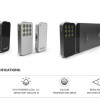
Goodbye Instagram Hello Freedom…Pressgram

Being the WordPress industry, I often come across projects that are filled with mind-blowing awesome.

When I found that John Saddington, a mastermind at 8bit, launched a Kickstarter project for mobile camera lovers who also use WordPress, I hopped on the opportunity to help the project out.

You see, there is a problem that exists in mobile camera apps. Mainly being that there are so many terms of service (TOS) that confused the photographers. Pressgram’s intentions are to make its TOS very simple. They do not own any of your content and do not want to. So with that, please have a look at Pressgram.

As you can see, in Pressgram you will have the ability to take filtered photographs and send them straight to your website. From there you can share the photograph anywhere.

More on the problem and solution:

If you’re a fan of Instgram style mobile photography, and have a WordPess blog, I highly recommend that you check out the Pressgram project on Kickstarter and pledge even a $1 to help John bring the app to life.

6 Tasty Tumblr Themes For iPhotographers
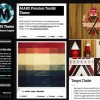
It’s been a while since we did a post with Tumblr themes for photographers.  So we thought it would be fun to share some fresh Tumblr themes.

Remember, Tumblr makes it easy to setup and install themes.  Using the iPhone app means you can blog from anywhere your phone goes.  In fact, Tumblr can be your perfect iPhoneography blog.

Mars

mars-tumblr
Contemporary and modern design with extended appearance options. Three layout modes you can choose between the default layout with the unique floating date column, a HD layout with high resolution posts, or the columns layout to fill the browser with posts.

Origin West

origin-west-tumblr
A fierce theme laced with color, lots of personality, and a bit of shine to show off a collection of noteworthy posts. This premium Tumblr theme featuring unique layout with a central and contrasting edge as it alternates your posts.

Leica

leica-tumblr
A minimal portfolio theme for photographers – taking after the popular brand.

Vogue

vogue-tumblr
Colorful collage / Pinterest style theme for photographers.

Slides

slides-tumblr
Big and beautiful – full browser widget slideshow of your photographs.

Stockholm

Stockholm-tumblr
Slim, vibrant and minimal. Simply beautiful!

Conclusion

You don’t have to spend a lot on your iPhoneography website.  You also don’t need something complex.  The beautiful of Tumblr is the ease of posting and customization.  Log in, purchase a theme and install with little to no effort.

iPhoneography at the Apple Store London

To coincide with the first London Street Photography Festival, we welcome four photographers who use iPhone to document the world around them.

Join Daniel Holland, Robson Santos, Matthew Burlem and Leyla Bile from the Flickr London iPhoneography Group as they show and discuss their work. The festival continues until 31st July 2011.

The London Street Photography Festival is an exciting new event in London’s cultural calendar which will champion the best contemporary street photographers, honor past masters and provide a space for discussion, debate and appreciation of the current relevance of this time-honored genre.

If you are new to the concept of Street Photography then check the “What is Street Photography” page.

Apple Store, Regent Street, London 11th July 2011 7pm – 8.30pm

The majority of activities will take place in and around King’s Cross, which has a rich heritage as an industrial hub of London. New developments and regeneration are now transforming it into a creative and cultural focal point, with media and arts organisations such as The Guardian and Central St Martins School of Art relocating to the area.

Exhibitions and events will take place at the German Gymnasium, British Library, National Portrait Gallery, V&A and St Pancras International. Satellite exhibitions and events will take place across London.

Anyone going and able to share the highlights?

Links:

London Street Photography Festival
London Street Photography Flickr Group

FX Photo Studio HD for iPad Updated

MacPhun have just released an update to their iPad photo editing application FX Photo Studio HD. The update includes more than 53 new effects, giving FX Photo Studio HD the largest variety of photo effects and filters of any app on the iTunes App Store.

Along with a myriad of new effects, the update adds a completely customizable interface that allows users to label their most often used effects as favorites, save combinations of effects into presets, and share images and presets via social channels like Facebook, Twitter, Tumblr, Flickr as well as email. Individual effects themselves can also be adjusted for deeper customization, and with a total of 181 photo effects and filters, endless possibilities now await iPad users and their cherished images.

The updated app offers an unlimited realm for creativity to blossom as users can go beyond classic effects and easily apply single or multiple effects to a single image.

The most notable innovation of FX Photo Studio HD is its ability to enable users to generate and share codes for customized presets as well as use codes provided by others, creating a crowd-sourced pool of unique iPhoneography art tools for users to tap into. Preset codes can be used in FX Photo Studio HD as well as in FX Photo Studio for iPhone and iPod touch.

Along with popular lomo and vintage affects, the app also features presets:

  • Art Effects
  • Pencil Paint
  • Burned Paper
  • Grunge
  • Cross Process
  • Glow
  • Blur
  • Vignette Layers
  • TiltShift
  • Color Fantasy and many more!

In this latest update, FX Photo Studio HD also makes available the option to save creations to the device’s photo album, clipboard, or document folder which makes sharing between a device and computer more convenient.

Along with new setting options, faster image processing, faster previews, and the ability to print custom masterpieces, this update of FX Photo Studio HD makes it one of the most efficient and powerful image editing apps on the market.

FX Photo Studio HD for iPad is available for $2,99 for a limited time ($4.99 normal price). on the iTunes App Store or at:
http://itunes.apple.com/us/app/fx-photo-studio-hd/id369684558?mt=8

FX Photo Studio for iPhone and iPod touch is available for $1.99 on the iTunes App Store or at:
http://itunes.apple.com/us/app/fx-photo-studio/id312506856?mt=8

Color Fashion for iPhone Released

Reallusion, inc have announced the arrival of Colour Fashion, a new app release to the iTunes App Store that innovates iPhone photo editing with magic hair colour and clothing stylizer. A demo video is available here.

Reallusion Colour Fashion is an iOS touch-optimized colouring tool that helps you easily re-colour your photos by using a smart colour masking technology. Colour Fashion can deal with subtle regions such as fluffy hair or complicated shapes, all while giving you the flexibility to quickly switch colour over the masked area and generating a smooth colouring results in no time at all.

Reallusion Colour Fashion makes colour changing on your iPhone fast, fun and easy! Now you can Mix & Match to create your own fashion style in two simple steps:

1. Roughly paint over the area where you want to apply a colour change. Use the built-in Smart Edge function to help you refine your mask edge.
2. Select any colour you like, adjust the results by using the element sliders, and you’re ready to strut in Colour Fashion style.

Pricing & Availability:

Colour Fashion is available now from the iTunes App store for 59p

Special Offer:

As a time limited offer until March 31 2011, Reallusion will give everyone who visits their Facebook page and clicks “Like” a free copy of FaceFilter 2 worth $59.99 !
FaceFilter – Photo Editor: A photo editor that enables you to enhance, adjust and repair digital photos.

1. Click here or search reallusion iphone on Facebook
2. Click Like.

30 Stunning Photos taken with an Apple iPhone

It has been a while since we did a spontaneous flickr shout out for photos but today we asked our twitter followers to post the favourite iPhone photographs. We had a great response for such a small window of opportunity and we have decided to post the best, including some already in the flickr pool below.

Remember to click on an image to view it directly on flickr to encourage the artist. If you want to have your work featured on Seven by Five then simply join the flickr group and look out for the flickr monthly themes. The more photographers who get involve the faster we all learn and are inspired.

Travels to nowhere by magneticar
Travels to nowhere

Me on Grass (iPhone) by {Flixelpix}
Me on Grass (iPhone)

Coming back home by Gusbano
Coming back home

Sand Walker by Chris Nixon
Sand Walker

Our secret meeting place by Gusbano
Our secret meeting place

The Tube by iPhoneography London
The Tube

Stainless (Taken on iPhone)
Stainless (Taken on iPhone).

Hace demasiado frío (myFilm) by Gusbano
Hace demasiado frío (myFilm)

lingering fall by PiecesofmeJen
lingering fall

Untitled by PiecesofmeJen

? by Gusbano
?

Snail Shell by Gusbano
Snail Shell

Miniature destruction by Gusbano
Miniature destruction

Puddle-Jumper by abstractconformity
Puddle-Jumper

IMG_0911 by abstractconformity
IMG_0911

IMG_0128 by mole2k
IMG_0128

The Road Colour (iPhone)

The cows are down by Gusbano
The cows are down

Up To The Greatest Heights by abstractconformity
Up To The Greatest Heights

white petals

2:39, Smithfield by iPhoneography London
2:39, Smithfield

Eye & The Sky by Andy^C
Eye & The Sky

Ireland Energy (iPhone)

Urban Cinderella by iPhoneography London
Urban Cinderella

Hdr Iphone experiments by KBTimages.co.uk
Hdr Iphone experiments

iphone photojournalism by magneticart
iphone photojournalism

Summer Splash (iPhone)

City of lights. by Sascha**
City of lights.

iPhone Jacky C II by Gary M
iPhone Jacky C II

Safe distance. by Sascha**
Safe distance.

All photographs remain copyright to their respective owners. They appear on the Seven by Five website as they were added to the Seven by Five Group on Flickr.

70 Hip Photos taken with the Hipstamatic iPhone App

We recently reviewed the nifty Hipstamatic photo app for iPhone (read the review here). As part of the review we asked you to add your best hipstamatic photos to the Seven by Five Flickr group. The resultant submission were stunning especially given they were all taken on a camera phone.

Here are just a few of the photos added, you can still add photos to the group, just make sure they are tagged “hipstamatic” I am sure the developers will release even more film and lens add-ons, offering even greater scope for creativity. Remember to click on an image to leave a comment on the user’s flickr page.

The Field

Waiting #photo #iphonography #hipstamatic

Hipstamic

Hip 047 : Up

Blenheim sheep

*

and in my dream there was

Tangiers

Cape Cornwall

Me (Iphone Hipstamatic picture)

Yellow tube

Pike Public Market

The four though Canadians (Color)

The fast growing flowerfield ver.1

Running Scared


Stairing

Shiny Flower

Ghost Teo

*

Out There

Converse Shadow

113/365 - Has This Mini Had It's Last Adventure

Waiting #2

Wow, what a good spot for a group photo!

Dreaming of walking on water

Welcome back!


Buttercup

IMG_0516

waiting to fly

Window

HIP_293344214.380019

Space Needle

IMG_0542

Big Wheel

Cloudy with a chance

go south

View From a Beer Garden

Sunset (Hipstamatic Contest Entry)

Sunday Walk

Strange skies (hipstamatic)

Coffees

Cricket Pavilion

iPhone photo

iPhone photos

sin título

Peace man

Look up!

You can't get there from here

The Lagan Walk

Dark

Promenade

sea nettles

caution track

Hoop dreamin'

Hipstamatic

Conclusion

To read just how great the Hipstamatic app is click here. It definitely brings a fun and creative factor to taking photos on your iPhone. It even tempts me to use it for a photo 365. You can view all the Hipstamatic Photos in the flickr pool here.

Tilt Shift Photos the iPhone (and iPad) way

I have always marveled at photos taken with a tilt shift lens but there is no way I could ever afford to own one. Alternatively there are a number of iPhone applications that will process your images to create (fake) tilt shift style images.

Tilt shift photography transforms images into almost toy like minaturisations. When done correctly the images are stunning and I am not sure any sort of post production processing is ever going to fully replace a dedicated lens.

During an Apple conference I had the opportunity to take a couple of photos from the thirteenth floor restaurant of a large hotel in Ireland. The image was perfect for some tilt shift processing so I decided to put two applications to the test.

Camera+(iPhone)

The first image (above) was taken this the Camera+ application. I realise this App isn’t currently available on the Apps store due to a software issue but I hope the problem is resolved soon as it really is a great application for this type of processing. I took the photo with the iPhone 4 camera in HDR mode and then imported it into Camera+. From here I applied the “Miniaturize” filter, saved the image and then re-imported to give the image the aged look. The blur is a little over processed you can see it better on the full sized image here.

TiltShiftGen (iPhone)


Next to the test was Tilt Shift Gen an application dedicated to the creation of tilt shift images. Tilt Shift Gen offers a number of processing options from circular filter or horizontal line through to enhancing the colour, contrast and brightness.

You can view both images full size over on flickr and I am not totally sure which I think works best. You can get TiltShiftGen from the iTunes Store here.

TiltShiftFocus

TiltShiftFocus is an iPad application so for this I email the photo taken on my iPhone in HDR mode to the iPad.


Creating tilt shift images on the iPad is definitely less of a challenge than on the iPhone due to the size of the screen. TiltShiftFocus costs £1.59 but offers a stack of controls that making the image easy with pretty quick rendering previews. Get it here. Tilt Shift Focus HD

TiltShiftGen (iPad)

Like Tilt Shift Focus working on the larger screen is definitely makes the TiltShiftGen app much easier to use. A series of sliders allows you to adjust blur size, contrast, brightness and saturation. TiltShiftGen definitely offers much more control over the image settings and the saturation adjustments really make a difference to the final image.


You can get the iPad version for £1.79 TiltShift Generator for iPad – Fake DSLR – Art & Mobile

I am struggling to decide which app I prefer. In a way Camera+ offers the least amount of control but the fact I can apply multiple filters makes it an interesting output. Which do you prefer ?

Links:

TiltShiftGen
Tilt Shift Focus HD
TiltShift Generator for iPad – Fake DSLR – Art & Mobile

iPhoneography : Infinicam

I probably have a dozen or so photography applications on my iPhone. Recently we posted seventy stunning photos captured with the Hipstamatic App (view it here) and have reviewed one of my favourite apps “ProCamera

Infinicam is the latest photo app from the makers of CameraBag. Just like CameraBag, Infinicam applies high quality effects to photos, but instead of having a set number of pre-defined camera styles, Infinicam offers an endless variety in a fun, stylish interface.

With each press of its New Camera button, Infinicam generates a new and unique randomized camera style. These high quality effects go far beyond the usual range of toy camera styles, and Infinicam also features 18 high-quality film-style borders lovingly recreated to delight photography buffs.


There are literally billions of possible camera styles to discover, with advanced algorithms in place to assure a high hit rate of unique, high quality results.

Once a favorite camera style is found, it can be easily saved and named for instant access later. Infinicam also allows you to process photos already captured on your phone including images imported via iTunes that were taken in a different camera.

When you email a modified photo to a friend from within Infinicam it includes a link that, when clicked, automatically loads the same camera style in Infinicam on your friend’s device. New camera styles can also be found on the Nevercenter website, which is accessible via the app.

Other features include a cropping tool, camera history, manual camera code entry, full-resolution saving, iOS4 retina-display support, and more.

Download Infinicam here.

IPhoneography : ProCamera

I love finding new camera apps to play with on the Apps store and ProCamera takes me that bit closer to the control I’d love to have over my iPhone camera. ProCamera enables you to use your iPhone without limitations and if you are used to the power of a digital SLR then this app offers high-end digital camera features with full-resolution picture processing but with the ease of a snapshot-cam.

ProCamera uses the the whole screen as a shutter release button, so we had to change the tap-to-focus gesture for photos into tap-and-hold-to-focus. In video mode you can tap-to-focus as usually, because there is no need for a BigPhotoButton.

When launching the first time, the camera is set to simple mode. Switch on the expert mode in the settings to use the separate focus/exposure control and the WhiteBalance lock. A info page pops up explaining how to use the controls.

As you know I am already a big fan of Camera+ but ProCamera offers a little bit more in terms of focus and exposure control.
[list bullet="arrow"]

  • You can use all functions with one finger.
  • When setting focus and exposure separately with ProCamera, the focus and the exposure locks, that means you can move your iPhone around without loosing these exact focus/exposure settings. I particularly love this feature.
  • The rectangles are flashing whenever focus or exposure is being adjusted letting the user know when the camera hardware is really ready for the shot.
  • The White Balance lock is also a very powerful feature. Almost all standalone cameras have this feature as it can be quite essential for brilliant photos and videos.

[/list]

Usually, you aim your camera on a white paper and lock the WhiteBalance in order to adjust the color temperature. ProCamera is intelligent and the white balance can be set by simply moving the iPhone around and locking the WhiteBalance when the colors appear to have the right (most realistic) temperature.

Other Features

Covering all aspects of casual or advanced use of the iPhone camera by aggregating unique features for these three modules:

[list bullet="arrow"]

  • Image capturing– Snap the perfect shot by using ProCamera’s powerful assistants like the Anti-Shake steady mode, HQ Zoom, Highspeed Saving and patent-pending alignment tools like the Virtual Horizon levelmeter or Leonardo da Vinci’s Golden-Mean grid.iPhone 3GS users additionally benefit from ProCameras Auto-Focus and Video Recording support. Check out the Tips&Tricks section inside the app to learn how to easily ensure good photos.
  • Improving and Editing– Enter the built-in Photo Studio and get the best out of your pictures with the tap of your finger. Set up brightness and contrast, lighten up darker images by changing the Gamma value (Flash-Exposure correction).Use B&W or Sepia-Filters to apply an artistic and professional touch to your photos. The combined use of effects is unlimited, and as expected all results can be processed in full-resolution quality.
  • Sharing pictures – Share your creations with your friends and family from anywhere in the world. ProCamera is the first camera app to feature full-size photo-emailing to any recipient. It would be great to have the ability to share on Twitter or post to Flickr but perhaps these are features that will come in the future.

[/list]

I am certainly loving the new tools.

Download ProCamera